SwiftCallBack in Practice: Recovering Missed Calls, Tracking Leads, and Optimising Campaigns

To make better marketing decisions, it is not enough to know how many users have submitted a form on a website. It is equally important to identify all the channels through which customers contact us, including the source of phone calls.
By implementing SwiftCallBack, we were able to track inquiries within a single system, reduce the number of missed calls, and use the collected data to optimise advertising campaigns.
The system does more than simply record calls. It makes it easier for website visitors to connect with the company, automatically distributes calls among team members, and makes it possible to follow up with people who were unable to speak with a manager.
The Problem: Some Inquiries Could Not Be Attributed to a Source
New customers contact us through three main channels:
- website forms;
- phone calls;
- email messages.
Website form submissions were our main communication channel and could be linked to a traffic source. With phone calls, however, we could not always determine whether a customer came from organic search, paid advertising, a link containing UTM parameters, or another campaign.

SwiftCallback Services
✔ We automate callback requests and connect customers with your team quickly
✔ We help you identify which campaigns generate the most qualified leads
✔ We provide clear analytics and make your sales process more efficient
As a result, the source of around 20% of inquiries remained unknown. This made it more difficult to accurately evaluate the real effectiveness of our SEO activities and advertising campaigns.
Another important issue was missed calls. We could not always see who had tried to contact us, which meant we risked losing potential customers who were already at an advanced stage of interest.
Simply displaying a phone number on the website was not always enough either. Visitors had to copy the number, make the call themselves, and wait until a manager became available. Every additional step could reduce the likelihood of them contacting us.
We needed a system that could collect all inquiries in one place, make it easier to start a conversation, and give us a complete picture of the leads being generated.
The Solution We Implemented
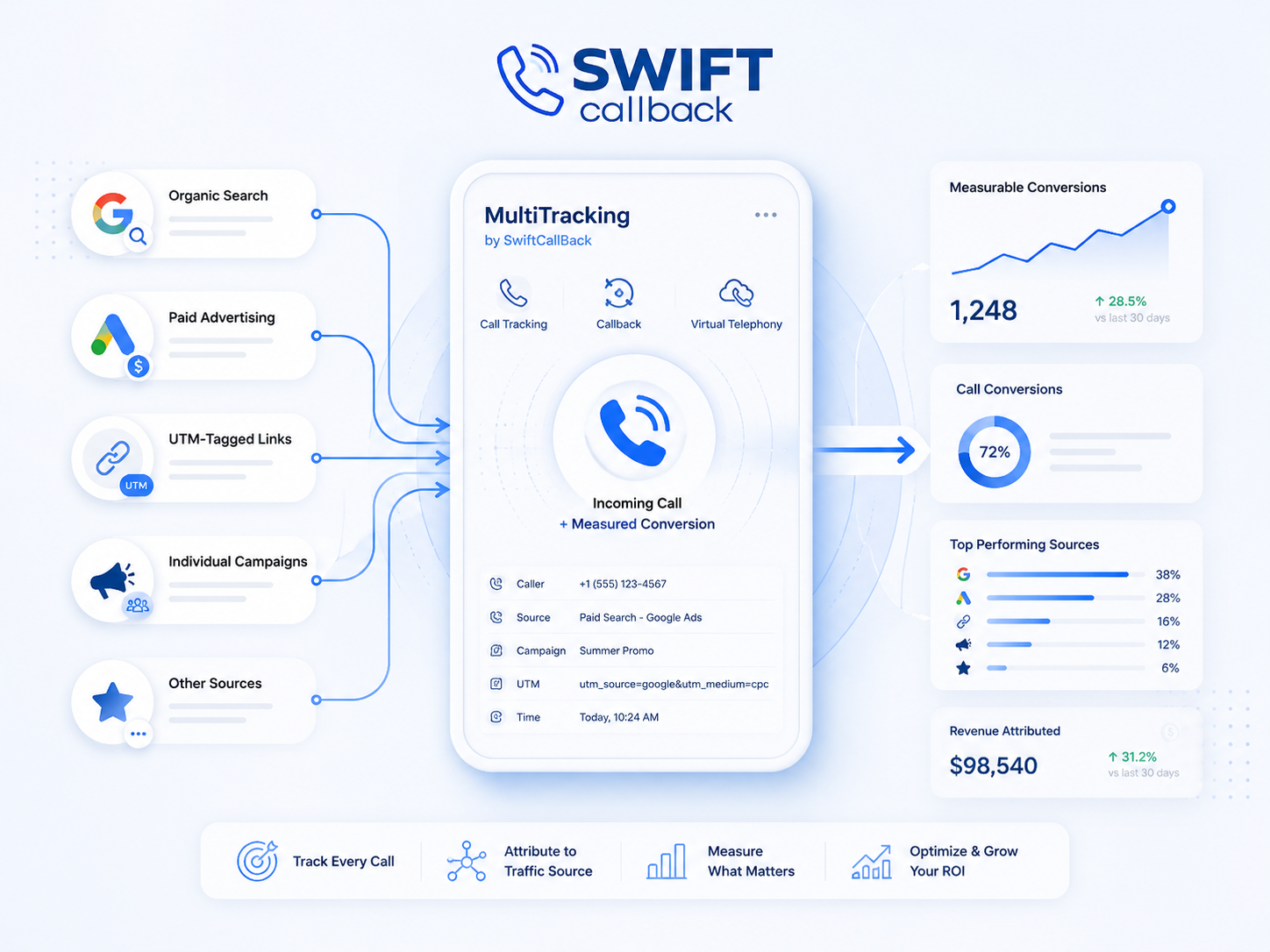
To solve these issues, we implemented MultiTracking from SwiftCallBack, which includes call tracking, callback, and virtual telephony features.
Through the system, every phone call can be associated with the relevant traffic source:
- organic search;
- paid advertising;
- links containing UTM parameters;
- individual campaigns;
- other promotional sources.
This turns a phone call into a measurable conversion, just like a form submitted through the website.
How the Callback Feature Works
With the SwiftCallBack widget, a visitor can request a call without having to copy the company’s phone number and call manually.
After entering their phone number, the system first calls an available manager. Once the manager answers, the system automatically calls the customer and connects both parties.
This process offers several advantages:
- reduces the time between the customer showing interest and speaking with a manager;
- removes the need for the visitor to initiate the call manually;
- allows the customer to contact the company with a single action;
- reduces waiting time;
- increases the likelihood that purchase intent will turn into a real conversation;
- makes it easier to contact the company from a mobile device.
The system can call managers one by one or distribute the request among available team members. If the first manager does not answer, the call is automatically forwarded to the next configured person.
This means an inquiry no longer depends on the availability of a single employee.
Recovering Visitors Who Are About to Leave the Website
The callback widget can be configured to appear when a visitor shows interest or appears ready to leave the page.
Depending on the settings, the system can take into account:
- time spent on the website;
- number of pages viewed;
- visits to important pages;
- interactions performed on the page;
- returning visits;
- exit intent.
Instead of leaving the website without submitting an inquiry, users are given the option to request a quick call.
However, the widget should be configured carefully. Showing it too often can become intrusive, while displaying it contextually, after a visitor has already explored products or services, can help improve conversion rates.
Messages Adapted to the Page and User Intent
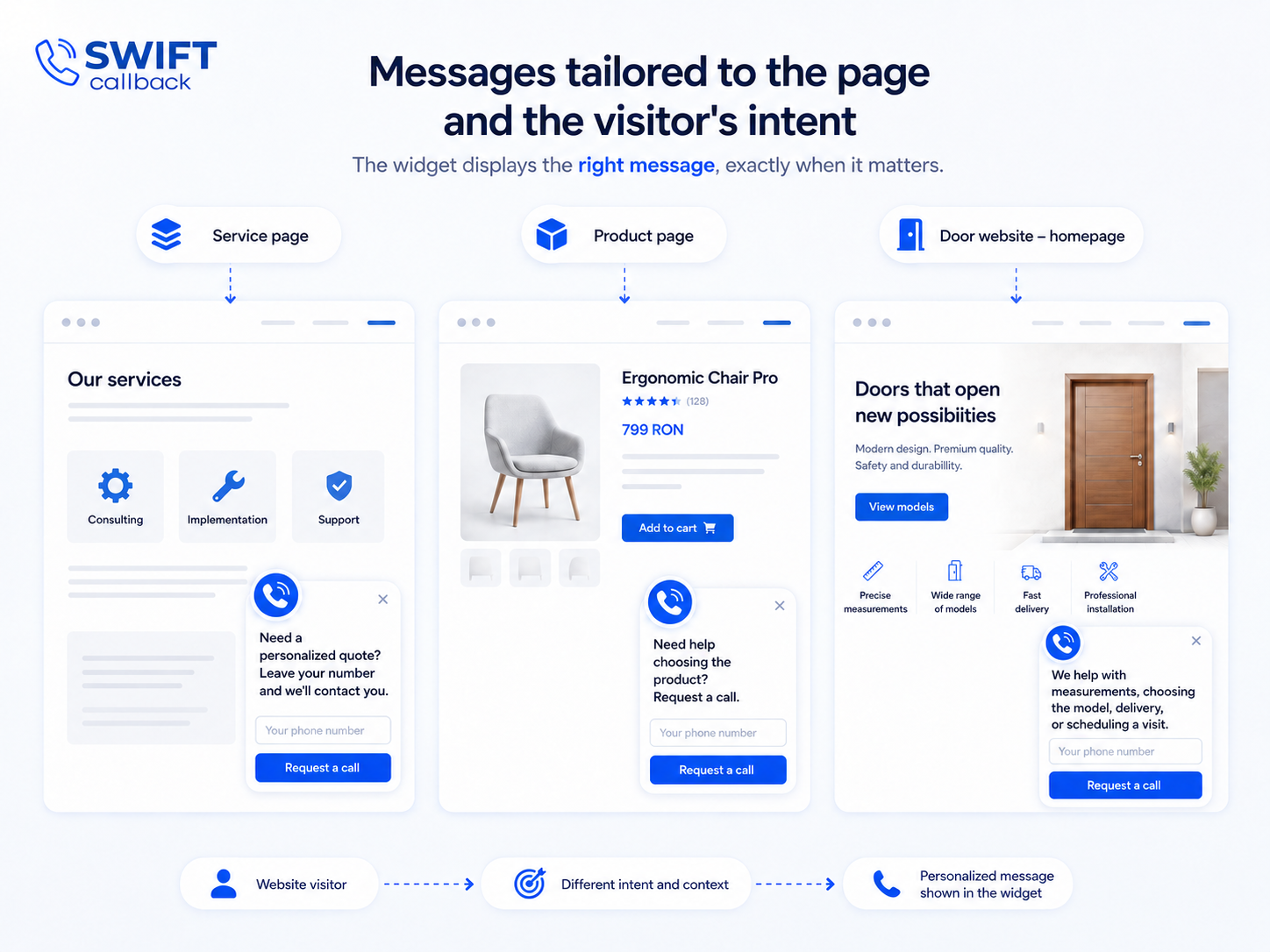
Another advantage of the system is the ability to adapt the widget message to the page being viewed or to the category of services the visitor is exploring.
For example, the message displayed on a service page could be:
“Need a personalised quote? Leave your number and we’ll contact you.”
On a product page, it could say:
“Need help choosing the product? Request a call.”
For a company selling doors, the widget could invite the visitor to request help with measurements, choosing a model, delivery, or scheduling a visit.
By segmenting messages in this way, communication becomes more relevant to the user’s specific needs.
Scheduling Calls Outside Business Hours
SwiftCallBack also makes it possible to manage requests received outside working hours.
When no manager is available, visitors can leave their phone number and request to be contacted on the next business day or at a convenient time.
This feature is useful because a website continues to attract visitors even after the team’s working hours have ended. Without a scheduling option, these users might leave the page without submitting an inquiry.
With scheduled callbacks:
- inquiries received in the evening or over the weekend can still be collected;
- customers can choose a convenient time slot;
- calls can be distributed according to the team’s schedule;
- requests do not all accumulate at the same time;
- managers can start the day with a clear list of people who need to be contacted.
Widget Customisation
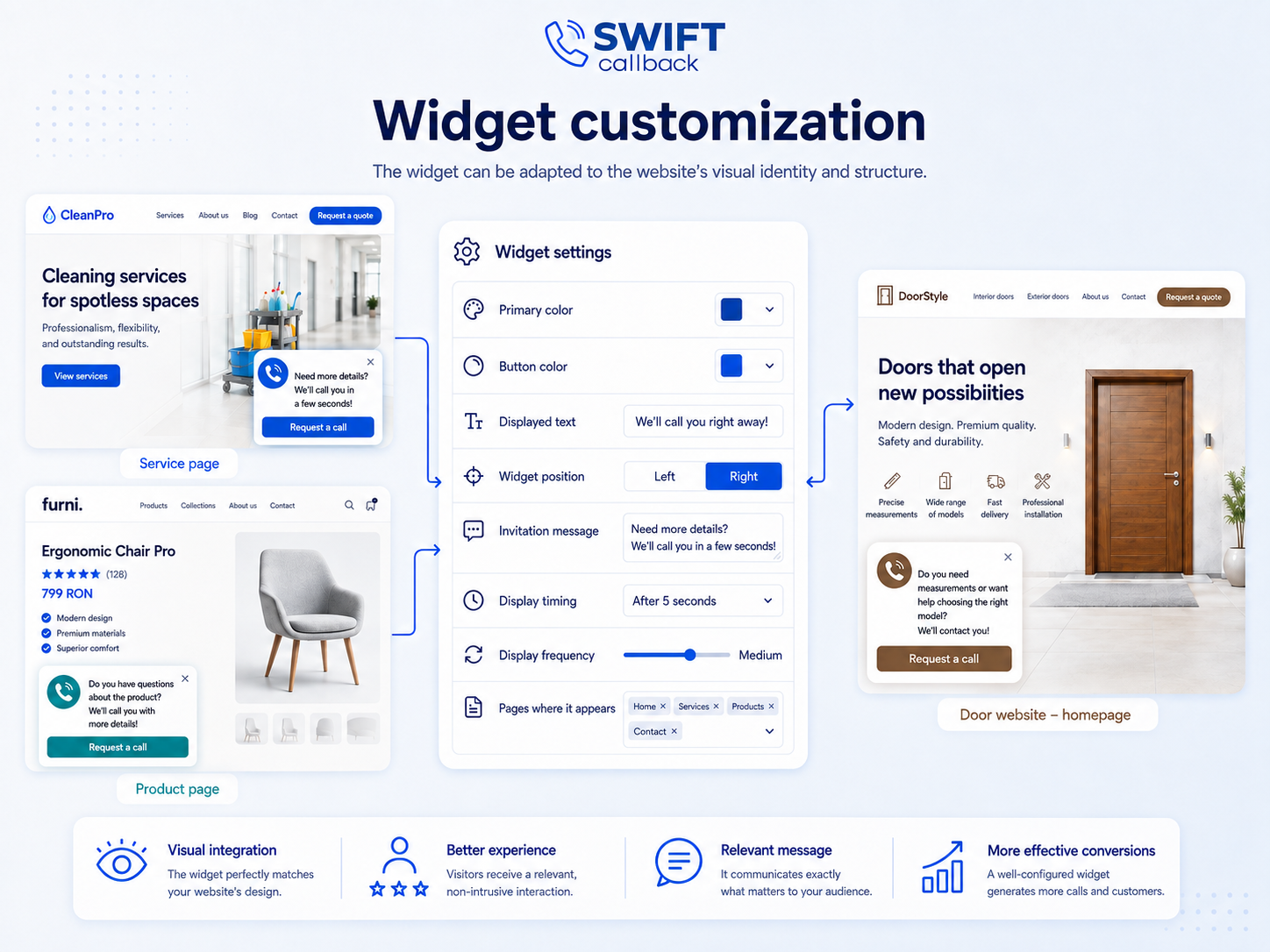
The SwiftCallBack widget can be adapted to match the website’s visual identity and structure.
Elements that can be configured include:
- primary colour;
- button colour;
- displayed text;
- widget position;
- invitation message;
- display timing;
- frequency of display for the same user;
- pages on which the widget should appear.
This means the widget does not look like an unrelated element placed over the website. Instead, it can be visually integrated into the existing design. Customising both the message and display behaviour contributes to a better user experience and improves the effectiveness of the tool.
All Inquiries in One System
All inquiries are sent to the CRM system and the integrated analytics platform.
The following information is stored in one place:
- call dates and times;
- phone numbers;
- call duration;
- traffic sources;
- advertising campaigns;
- UTM parameters;
- call status;
- the manager who handled the inquiry;
- call recordings;
- callback requests;
- unanswered calls.
Through the CRM integration, a lead can be created automatically whenever a user requests a call. Managers no longer need to enter all the information manually, and the risk of an inquiry being overlooked is reduced.
Data can also be sent to other tools through available integrations or API connections.
Reports and Notifications
The system provides access to reports on completed calls, unanswered calls, and callback requests.
For each interaction, we can check:
- whether the customer and manager were successfully connected;
- the date and time of the inquiry;
- the duration of the conversation;
- the visitor’s source;
- the advertising campaign;
- the customer’s phone number;
- the responsible manager;
- the call recording.
Notifications allow the team to quickly identify requests that were not handled and follow up with the customer before their interest decreases.
Filtering Irrelevant Inquiries
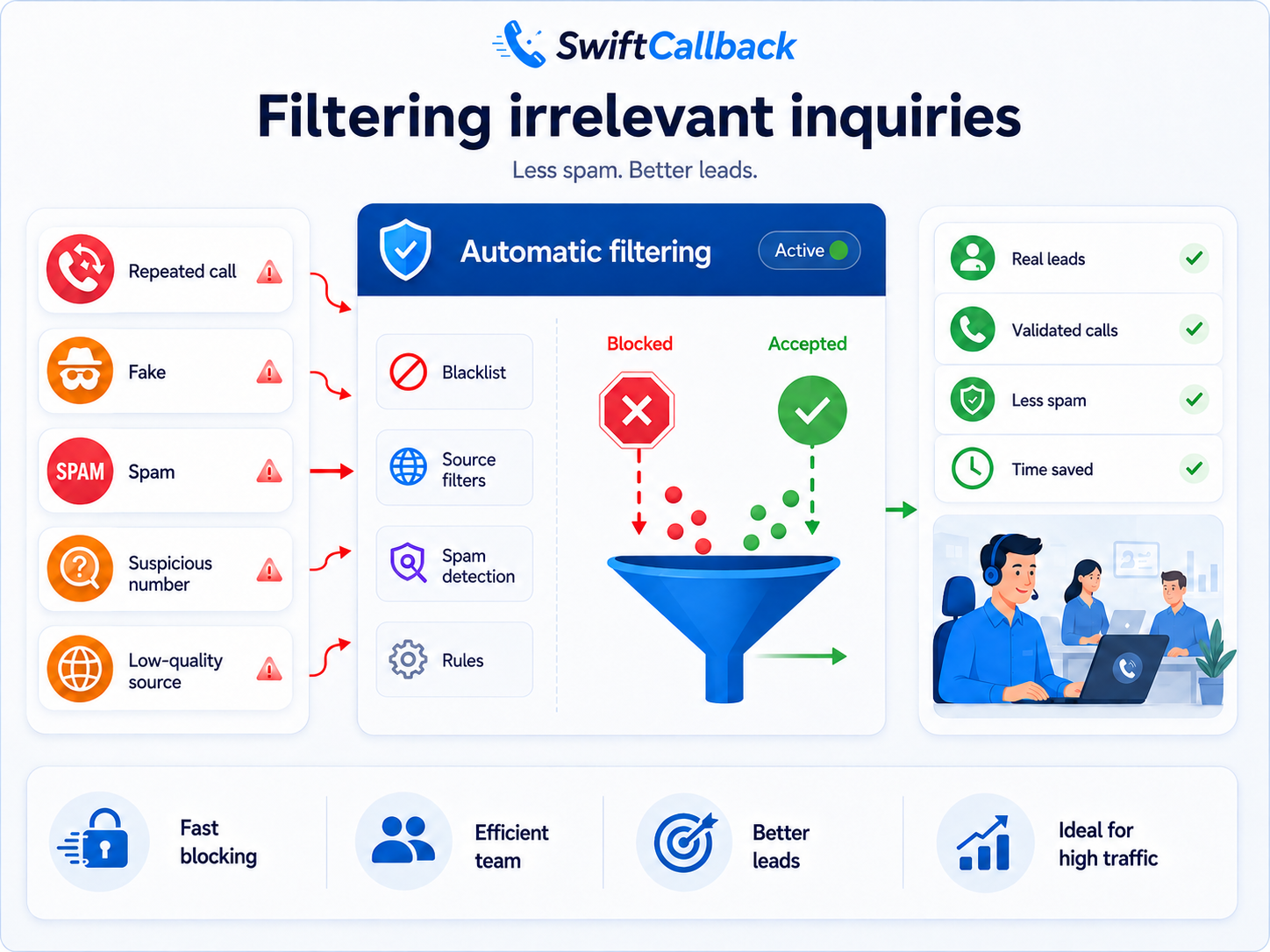
In addition to collecting leads, it is also important to reduce unwanted calls.
Phone numbers or sources that repeatedly generate false inquiries, spam, or irrelevant calls can be identified and filtered. This prevents managers from wasting time on low-quality contacts and allows them to focus on genuine inquiries.
This becomes particularly important for high-traffic websites or campaigns that generate large numbers of visits.
How We Use Call Recordings
Before implementing the system, managers had to write down the most important information during the conversation itself.
They had to speak with the potential customer while simultaneously completing the brief, which could affect how much attention they gave to the conversation. Another option was to listen to the entire recording after the call ended, which required additional time.
Today, we download the call recording and upload it to an AI-powered tool.
This allows us to generate:
- a summary of the conversation;
- the customer’s main needs;
- the products or services they are interested in;
- questions and objections raised during the call;
- the information required to complete the brief;
- a brief automatically completed according to our predefined structure;
- the next actions that need to be taken.
Call recordings are also useful for evaluating conversations, analysing sales scripts, and identifying areas where communication with potential customers can be improved.
The team can return to the conversation at any time without relying exclusively on notes taken during the call.
Improving the Sales Team’s Performance
Call analysis is useful not only for marketing. It also allows us to evaluate the sales process.
We can identify:
- how quickly managers respond;
- how many calls are answered;
- how many inquiries are transferred;
- which questions appear most frequently;
- at what point customers drop out of the conversation;
- which objections are not handled effectively;
- which phrases help move the conversation forward;
- which managers may need additional training.
Based on this information, we can update sales scripts, organise training sessions, and improve the way the team handles inquiries.

How We Recover Missed Calls
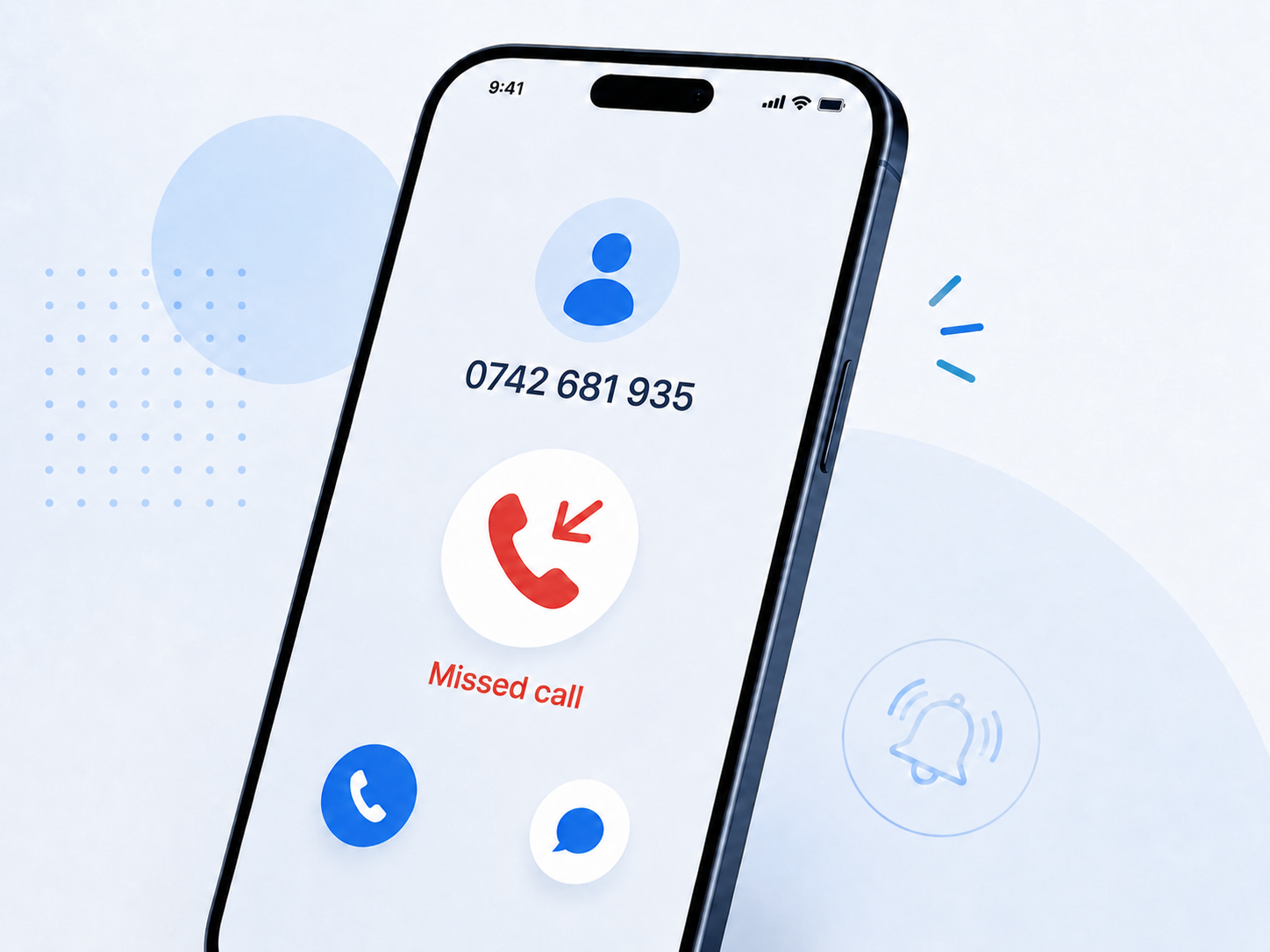
Unanswered calls are tracked separately. In 2026, the number of missed calls decreased by 60%. Out of a total of 174 calls, only 33 remained unanswered.
For every missed call, we can see:
- the caller’s phone number;
- when the call was made;
- the duration of the attempted contact;
- the traffic source;
- the campaign that brought the user to the company;
- the page visited before the call;
- the managers to whom the call was routed.
Specialists can quickly call the person back while the potential customer is still interested in the offer. This means that a missed call no longer automatically becomes a lost lead.
The data can also be used to configure advertising campaigns and future communications, including for people who tried to contact us but were unable to speak with a manager.
Why Callback Complements Call Tracking
Call tracking shows us where calls come from, while callback helps us generate and handle more conversations.
The two functions work together:
- call tracking identifies the source of the inquiry;
- callback reduces the effort required to initiate contact;
- the virtual phone system distributes calls;
- the CRM stores the lead history;
- call recordings provide information about customer needs;
- reports show which campaigns and managers generate results;
- artificial intelligence turns conversations into useful, actionable information.
This means we do not measure only the number of calls. We can track the entire process, from the first website visit to the conversation and, eventually, to the sale.
Main Benefits of SwiftCallBack
By using the system, we gain several important benefits:
- faster contact between visitors and managers;
- the ability to request a call with a single action;
- less effort required from the customer;
- automatic distribution of calls among managers;
- recovery of unanswered calls;
- collection of inquiries outside business hours;
- scheduling calls for a convenient time;
- identification of the source of each lead;
- linking phone calls to ads and UTM parameters;
- recording and analysing conversations;
- integration of inquiries into the CRM;
- automatic generation of summaries and briefs;
- widget customisation according to the website design;
- contextual display based on visitor behaviour;
- adaptation of the message to the page or service being viewed;
- reduction of spam calls and irrelevant inquiries;
- improvement of sales scripts;
- evaluation of manager performance;
- optimisation of marketing budgets;
- higher conversion rates from existing website traffic.
Implementing SwiftCallBack gives clients a complete view of the channels through which their customers are acquired.
Instead of analysing forms, phone calls, and messages separately, we help them track the entire lead journey within a single system.
Callback makes it easier to initiate contact, call tracking identifies the source of the inquiry, the virtual phone system distributes calls, and CRM integration stores all the information needed for future follow-up.
The collected data helps us identify which channels generate the most relevant inquiries, recover missed calls, better understand customer needs, and allocate marketing budgets more efficiently.
In this way, phone communication is no longer a difficult-to-measure channel. It becomes a clear source of data that can be used to increase conversions, improve team performance, and support the growth of both internal projects and client projects.
*Visual content notice: Some images and interface mockups used in this article were created with the assistance of AI for illustrative purposes.
Articole similare
- Influencers: Who They Are, Why Brands Need Them, and How to Work with Them — Influencer marketing is no longer something used only by large brands. Today, local cafés, small shops, and beauty salons also work with influencers to reach potential customers more easily. The reason is simple…
- What Is a CTA in Marketing: How to Create Calls to Action That Work — Imagine visiting a website, finding the product you want, and deciding to place an order — only to discover there is no “Buy” button. Or maybe there is one, but it is hidden somewhere at the bottom of the page and…
- Viteza site-ului: cum influențează vânzările și cererile de contact — Un vizitator ajunge pe site-ul tău pentru că este interesat de un produs sau de un serviciu. Poate a accesat o reclamă, te-a găsit pe Google sau a primit o recomandare. Înainte să citească oferta și să decidă dacă vrea…